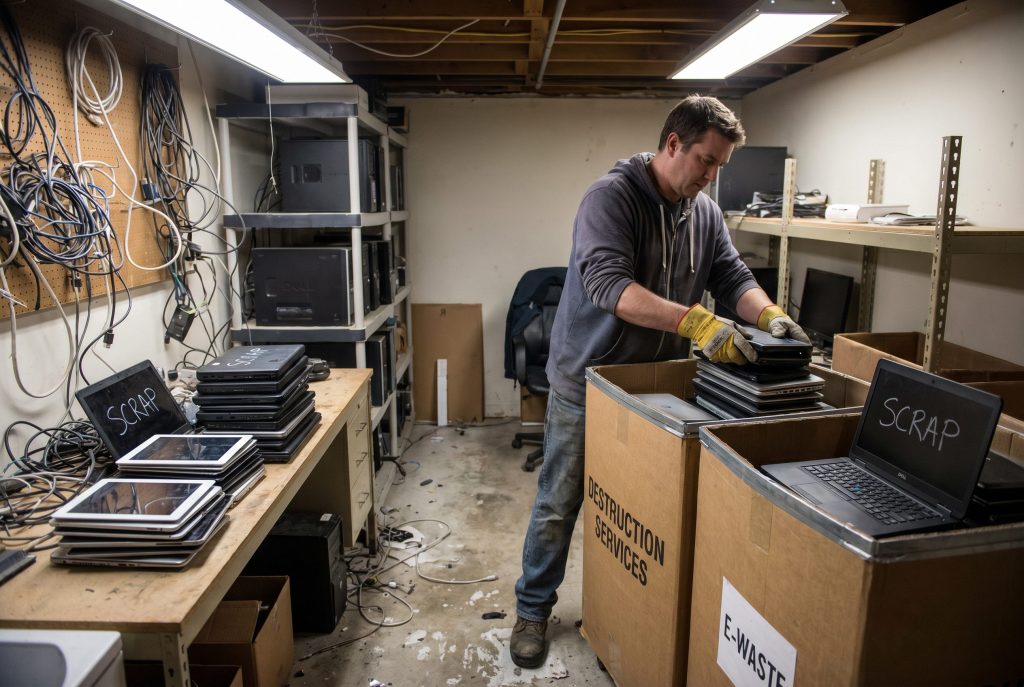
Microsoft ended free support for Windows 10 on October 14, 2025. That date triggered the largest enterprise hardware refresh wave in a decade. By some estimates, 240 million PCs worldwide are now running an operating system Microsoft no longer patches. Other estimates push that number closer to 400 million.
If your organization is part of that wave, here is the question you need to answer honestly: where is the old fleet right now? If the answer involves a storage closet, an off site warehouse, or a vague handoff to “the IT team,” you are bleeding money and carrying risk you do not need.
Windows 10 ITAD is not a project you can defer. The market has already turned against you.
Why Are Windows 10 Devices Flooding the Secondary Market?
Simple supply and demand. When 240 million businesses and consumers retire devices in the same window, the secondary market gets saturated. Every laptop, desktop, and workstation hitting refurbisher and remarketer inventory drives the resale value of the next one down.
This is not a temporary blip. Industry analysts expect the supply pressure to continue through most of 2026 as enterprises that delayed their refresh cycles in 2025 finally pull the trigger. The Canadian refurbished electronics market alone is projected to hit $6.6 billion by 2029, and most of that growth is coming from this exact wave of retired Windows 10 hardware.
Here is what most IT leaders miss: the value curve on retired devices is steeper than they think. A three year old business laptop that might fetch $250 today could be worth $150 by mid 2026. By late 2026, when the market is still flooded, you are looking at $80 if you can move it at all.
How Much Value Are Your Retired Devices Actually Losing?
The math depends on what you have. A few rough benchmarks based on what I have seen across recent enterprise refresh projects:
- Modern business laptops (less than three years old, 16GB RAM, SSD): currently retain 25 to 40% of original purchase value if remarketed quickly. Expect that to compress to 15 to 25% by Q4 2026.
- Older business laptops (three to five years, but Windows 11 compatible): currently 10 to 20% recovery. Falling to 5 to 10%.
- Devices that cannot upgrade to Windows 11: recovery is essentially scrap value plus component recovery. The TPM 2.0 requirement disqualified a huge chunk of fleets.
- Workstations and servers: hold value better, but the same compression curve applies.
The longer you hold, the worse the math gets. And that is before you factor in storage costs, security exposure, and the management overhead of tracking devices nobody is using.
What Are the Risks of Holding Onto Retired Windows 10 Hardware?
The financial loss is one part of the picture. The compliance and security risks are the other.
Up to 20% of data breaches happen during the device disposal phase. That number gets worse during chaotic refresh cycles, when devices pile up faster than they get processed and accountability gets fuzzy. Each unmanaged Windows 10 device sitting in a closet still has data on it. Employee files. Customer records. Maybe PHI or financial information depending on your industry.
There are also a few risks people do not talk about enough.
Devices in storage often still have valid network credentials, VPN profiles, and saved sessions. If one walks out the door (and they do walk), you are not just losing hardware. You are handing someone a key. The Extended Security Updates program from Microsoft is a stopgap, not a strategy. ESU buys you time on actively used devices but does nothing for the retired fleet sitting in your warehouse.
This is also where insurance carriers are starting to ask harder questions. If you cannot demonstrate documented disposal of retired assets, your cyber liability coverage may not respond the way you expect after an incident.
How Do You Maximize Recovery on Your Windows 10 Fleet Now?
A few practical steps, in priority order.
Inventory what you actually have. Walk every storage location. Pull every serial number. You cannot value or wipe what you have not catalogued. Tools like AssetTiger can help if you do not already have asset management software.
Sort by Windows 11 eligibility. Devices that can upgrade have value as refurbished Windows 11 systems for the secondary market. Devices that cannot upgrade have value as refurbished Linux systems, parts, or scrap recovery. Different paths, different vendors, different timelines.
Get a vendor in fast. Every week of delay costs you recovery dollars. A reputable Windows 10 ITAD partner should give you a same week pickup, NIST 800.88 Rev 2 compliant data destruction, certificates of erasure or destruction per device, and a transparent revenue share on remarketed assets. The NAID member directory can help you verify a vendor’s data destruction certifications.
Document everything. Chain of custody from your facility to final disposition. Serial numbers. Wipe certificates. Recycling certificates for anything destroyed. This is your defense against future audit questions and breach investigations.
Negotiate the contract carefully. Watch for vague language around “fair market value,” buried fees for non functional devices, and downstream recycler chains that cannot be verified. Real partners will let you audit their downstream.
The Windows 10 ITAD wave is not slowing down, but the value recovery window is closing. Organizations that move now still have leverage. Organizations that wait until late 2026 will be paying their vendors to take the hardware away.
So Is It Too Late to Recover Real Value From Your Windows 10 Fleet?
It is not too late, but the window is closing fast and the math gets worse every month. The companies recovering the most value right now are the ones treating Windows 10 ITAD as an active project with weekly milestones, not a back burner cleanup task. Inventory the fleet, sort by Windows 11 eligibility, get a certified partner engaged this quarter, and document every step from pickup to final disposition. The longer your retired devices sit in storage, the more the secondary market keeps moving against you.